





-20%
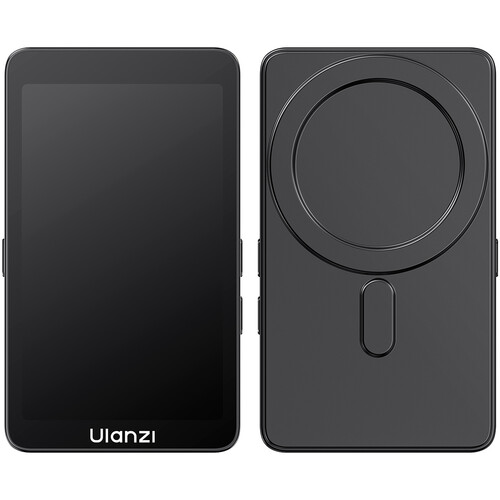
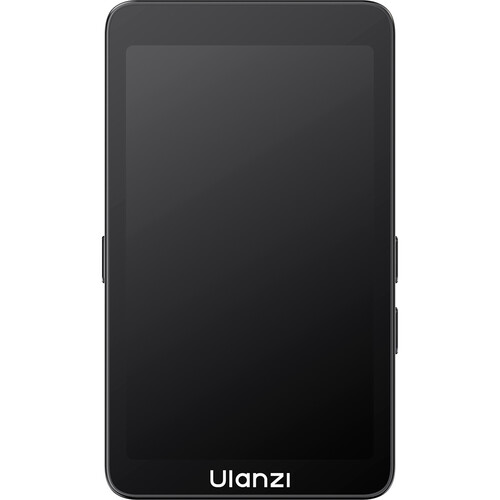
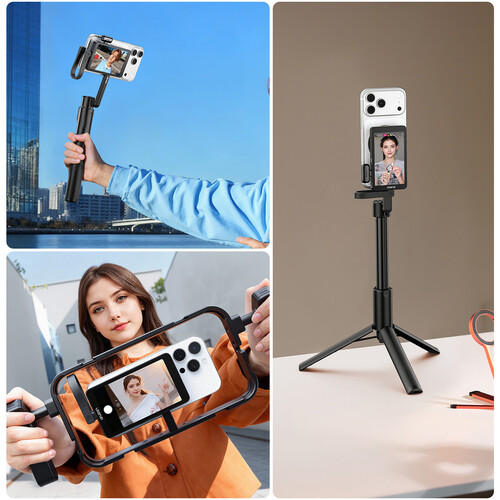
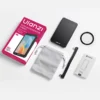
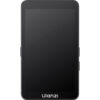
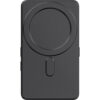


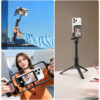


The Ulanzi VM1 Selfie Mobile Monitor Screen is a compact external display designed to make smartphone vlogging, selfie recording, live streaming, and mobile filmmaking easier. Instead of relying on your phone’s front camera, the VM1 lets you use the higher-quality rear camera while viewing a real-time preview of your framing.
With a 3.97-inch 800 × 480 display, MagSafe-style magnetic attachment, adjustable brightness, mirrored/original viewing modes, and USB-C connectivity, the Ulanzi VM1 is a practical upgrade for creators who want better smartphone video without carrying a traditional camera monitor.
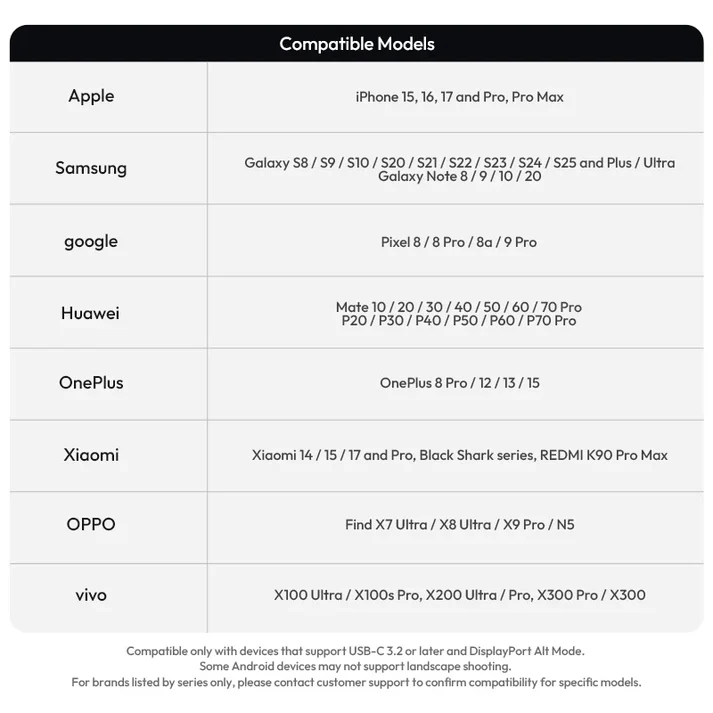
Important: Compatibility depends on the smartphone supporting USB-C with DisplayPort Alternate Mode. Check your phone’s specifications before purchasing.
One of the biggest limitations of smartphone vlogging is the front-facing camera.
While the front camera is convenient for seeing yourself, the rear camera generally provides a more capable imaging system on many smartphones. The problem is simple: when using the rear camera, you cannot easily see whether you are properly framed.
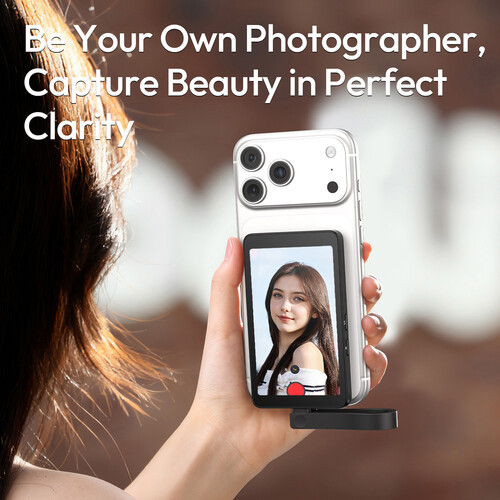
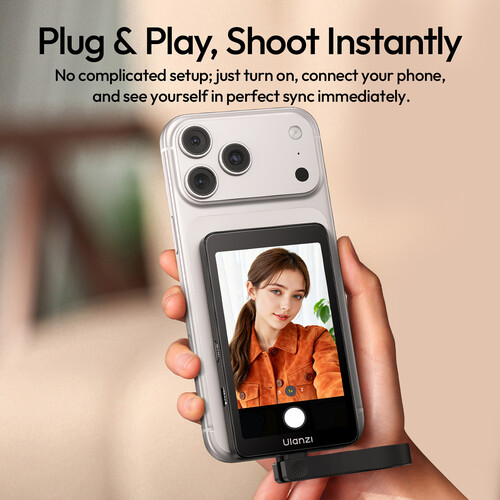
The Ulanzi VM1 solves this problem by giving you a dedicated screen positioned behind the phone.
This means you can:
For creators who already have a good smartphone, a selfie monitor can therefore be a much more affordable upgrade than immediately moving to a dedicated camera system.
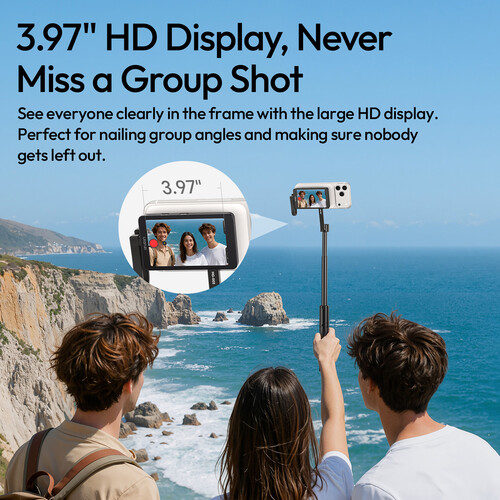
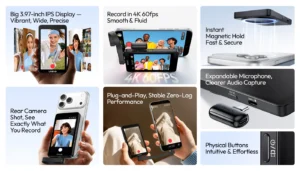
The 3.97-inch display provides a practical viewing area without adding excessive size to your smartphone setup.
Its 800 × 480 resolution is designed primarily for monitoring rather than replacing your phone’s main display. You can use it to check your framing, subject position, and overall composition while recording with the rear camera.
The larger preview is particularly useful when the phone is mounted on a tripod or positioned at arm’s length, where checking the phone’s own screen would otherwise be difficult.
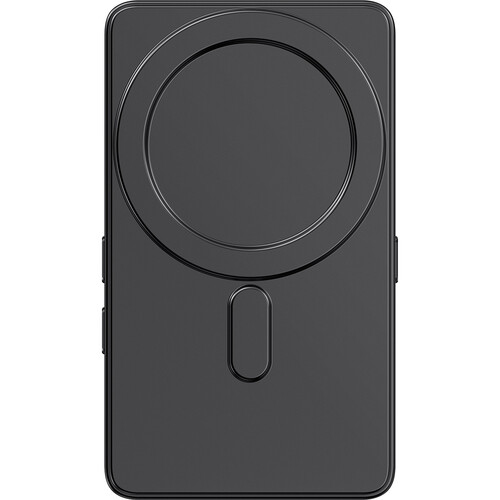
The VM1 is designed around a convenient magnetic attachment system, making setup quick for compatible MagSafe-equipped smartphones and cases.
Instead of dealing with a complicated mounting process, you can attach the monitor to the rear of your phone and position it for comfortable viewing.
This makes the setup particularly useful for:
For non-MagSafe phones, the appropriate magnetic mounting solution may be required.
This is where the Ulanzi VM1 becomes particularly useful.
A typical smartphone vlogging setup involves a choice:
Front camera:
You can see yourself, but you may sacrifice some camera capability.
Rear camera:
You may get better image quality, but monitoring yourself becomes difficult.
The VM1 bridges that gap.
You can position the monitor toward yourself, switch to the rear camera, and continue recording while maintaining visual control over your composition.
This makes the VM1 especially useful for creators who want to get more out of their existing smartphone before investing in a dedicated mirrorless camera system.
The monitor connects to compatible smartphones through USB-C.
However, USB-C alone does not guarantee compatibility. The smartphone must support DisplayPort Alternate Mode for video output.
Before purchasing, check whether your particular phone supports USB-C video output.
Ulanzi also recommends using a Type-C DisplayPort Checker application to verify compatibility on supported devices.
Compatibility Note: The VM1 is not a universal USB-C display for every smartphone. Confirm DisplayPort Alternate Mode support before ordering.
The VM1 is useful whenever you need to remain in control of your framing while recording.
Position your phone on a tripod and use the VM1 to ensure your face remains correctly positioned while recording educational or informational videos.
When recording yourself outdoors, the monitor makes it easier to check composition without repeatedly walking back to the phone.
Creators demonstrating cameras, lenses, accessories, or other products can monitor their position while keeping the rear camera pointed toward the subject.
The monitor can help creators maintain their framing while using a compatible smartphone-based streaming setup.
For Instagram, TikTok, Shorts, and other vertical video formats, being able to monitor yourself makes solo recording considerably easier.
Outdoor shooting can make small displays difficult to see.
The VM1 provides adaptive brightness and brightness control to help maintain visibility as shooting conditions change.
This is particularly useful when moving between:
A monitor does not improve the phone’s camera image itself; its primary purpose is to make monitoring and framing easier.
The VM1 supports different viewing orientations, including mirrored and original display modes.
This gives creators more flexibility depending on how they want to monitor themselves.
A mirrored view can feel more natural when positioning yourself in front of the camera, while an original view can be useful when you want the preview to correspond directly with the recorded orientation.
Good video is only part of a successful content setup. Poor audio can make otherwise excellent footage feel amateur.
The VM1 provides USB-C connectivity that can work with supported microphone accessories and mobile audio setups.
For creators building a complete smartphone production kit, consider pairing the monitor with a suitable shotgun microphone or compatible wireless microphone system.
For YouTube creators, this combination can provide a more complete workflow:
Smartphone → VM1 Monitor → Microphone → Tripod → Lighting
The VM1 is particularly appealing to creators who want to keep their equipment compact.
A traditional external monitor can make sense for larger camera rigs, but smartphone creators often prioritize portability.
The VM1 can be useful for:
If your content is primarily smartphone-based, a compact monitor can add useful functionality without turning your setup into a large production rig.
The VM1 works best as part of a complete creator setup rather than as a standalone accessory.
Start with a smartphone that provides a capable rear camera and supports USB-C video output through DisplayPort Alternate Mode.
Use the VM1 to monitor yourself while recording with the rear camera.
Add a quality microphone to improve speech clarity and reduce dependence on the phone’s built-in microphone.
Explore Shotgun Microphones for suitable options.
A stable mounting solution is essential for talking-head videos, tutorials, product demonstrations, and live streaming.
Browse Tripods & Supports for compatible support equipment.
Even an excellent smartphone camera benefits significantly from controlled lighting.
A simple LED or continuous-light setup can improve facial detail, exposure, and overall production quality.
Explore Lighting & Studio Equipment for additional lighting options.
| Feature | Phone Front Camera | Ulanzi VM1 + Rear Camera |
|---|---|---|
| Self-monitoring | Yes | Yes |
| Rear-camera recording | No | Yes |
| Larger monitoring display | No | Yes |
| Better rear-camera flexibility | Limited | Yes |
| Magnetic setup | No | Yes |
| Portable | Yes | Yes |
| Ideal for solo creators | Yes | Excellent |
The VM1 does not replace your smartphone camera. Instead, it changes how you can use it.
The VM1 is particularly useful for:
If you already have a capable USB-C smartphone and want better control over self-recording, the VM1 can be a practical addition to your creator kit.
The VM1 may not be necessary if you:
For dedicated-camera users, a camera with a fully articulating display may be a better integrated solution.
If you’re considering moving beyond smartphone production, our guide to Best Vlogging Cameras in Pakistan can help you compare dedicated creator cameras.
| Specification | Details |
|---|---|
| Product | Ulanzi VM1 Selfie Mobile Monitor |
| Model | Ulanzi A057 |
| Display Size | 3.97 inches |
| Resolution | 800 × 480 |
| Connection | USB-C |
| Smartphone Compatibility | USB-C + DisplayPort Alternate Mode |
| Mounting | Magnetic / MagSafe-compatible attachment |
| Preview | Real-time video monitoring |
| Display Modes | Mirrored / Original |
| Brightness | Adjustable / Adaptive |
| Microphone Support | Supported through compatible USB-C setup |
| Wi-Fi | Supported |
| Design | Compact and portable |
| Included | Storage bag |
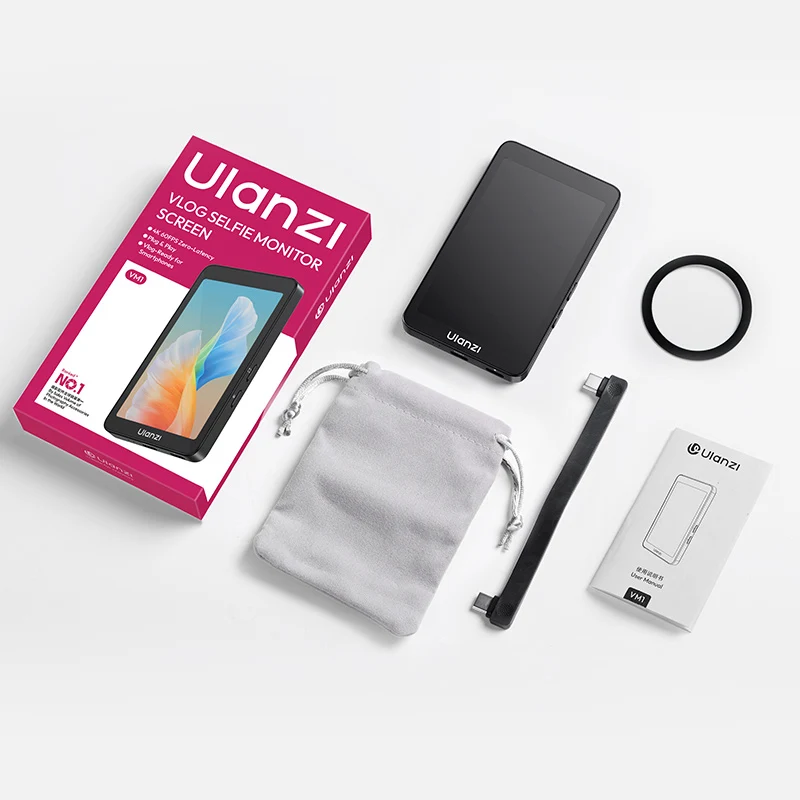
The package includes the essential components needed to use and carry the monitor, including:
Package contents can vary by market or product batch. Confirm the exact box contents before purchase.
The VM1 is designed specifically around smartphone content creation.
A conventional camera monitor is usually intended for HDMI-equipped cameras and more advanced production rigs. The VM1 instead focuses on keeping the smartphone setup compact and convenient.
For a creator who primarily shoots with a phone, this makes more sense than carrying a larger production monitor.
Before buying the Ulanzi VM1, check three things first:
Your smartphone must support DisplayPort Alternate Mode.
MagSafe-compatible phones or cases provide the simplest mounting experience.
The monitor becomes much more useful when combined with a tripod, microphone, and lighting.
For creators building a complete YouTube setup, our Best Cameras for YouTube in Pakistan guide can also help you decide whether staying with a smartphone or upgrading to a dedicated camera makes more sense.
The Ulanzi VM1 is a compact selfie monitor for smartphones that allows creators to view themselves while recording with the phone’s rear camera.
No. The phone must support DisplayPort Alternate Mode through its USB-C port.
Compatibility depends on the specific iPhone and USB-C video-output capability. Check the exact model before purchasing.
Yes. It is specifically useful for rear-camera vlogging, where you need to see yourself while recording.
No. It does not change the smartphone’s camera quality. Its purpose is to provide a larger real-time monitoring screen, allowing you to use the rear camera more effectively.
The VM1 provides USB-C connectivity that can support compatible microphone and audio accessories depending on the smartphone and setup.
Yes. It is particularly useful for solo YouTubers who record themselves with a smartphone and want better control over framing.
It can be useful for compatible smartphone live-streaming setups, provided the phone and connected accessories support the required USB-C functionality.
Yes. Its compact design and included storage bag make it suitable for travel, mobile filmmaking, and everyday creator setups.
The Ulanzi VM1 Selfie Mobile Monitor Screen solves a simple but important problem: how to use your smartphone’s rear camera while still seeing yourself.
Its 3.97-inch display, magnetic attachment, real-time preview, adjustable brightness, USB-C connectivity, and compact design make it a useful accessory for vloggers, YouTubers, mobile filmmakers, and social-media creators.
It is especially valuable for creators who already own a capable smartphone but want more control over framing, composition, and self-recording without immediately investing in a dedicated camera.
For a complete creator setup, pair the VM1 with a tripod, microphone, and video lighting. And if your content has grown beyond smartphone production, explore mirrorless cameras and our Best Vlogging Cameras in Pakistan guide to find your next upgrade.
For smartphone creators who want the convenience of rear-camera quality with a front-facing preview, the Ulanzi VM1 is a smart and practical addition to the mobile filmmaking kit.
For detailed manufacturer information and compatibility specifications, see the Ulanzi VM1 Vlog Selfie Monitor Screen.
In stock
Out of stock
In stock
Out of stock
In stock
Out of stock
No account yet?
Create an Account