





The Ultimate Teleprompter Guide for Creators in Pakistan
Learn what a teleprompter is, how it works, who can benefit from one, and how to choose the right system for YouTube videos, online courses, interviews, business presentations and professional video production.
Explore Teleprompters in Pakistan →Why Teleprompters Matter for Modern Creators
Improve eye contact, delivery, consistency and recording efficiency.
If you have ever watched a YouTube video, online course, product review, interview or business presentation and wondered how the presenter speaks smoothly without repeatedly looking away from the camera, there is a good chance a teleprompter is helping behind the scenes.
Once associated mainly with television studios and professional newsrooms, teleprompters have become practical tools for today’s content creators. YouTubers, educators, trainers, business professionals and video marketers can use them to deliver structured information while maintaining natural eye contact with the audience.
This is especially useful when a video contains important details, technical information, product specifications, educational material or a carefully planned presentation that needs to be delivered accurately.
With the continued growth of YouTube, online education, social media marketing and eCommerce video content in Pakistan, a teleprompter can help creators reduce unnecessary retakes and make their production workflow more efficient.
Whether you are recording tutorials, product demonstrations, interviews, corporate videos, training sessions or talking-head content, understanding how teleprompters work can help you decide whether one belongs in your creator setup.
What Is a Teleprompter?
A simple presentation tool designed to keep your script and camera in the same line of sight.
A teleprompter is a device that displays a script in front of a camera lens so the presenter can read while continuing to look toward the camera. Instead of repeatedly looking down at printed notes, a phone or another screen positioned away from the lens, the presenter can keep their gaze close to the camera’s optical axis.
The result is a more direct and consistent presentation style. The speaker can follow a prepared script, remember key talking points and maintain stronger visual engagement with viewers without having to memorize every line.
Looking toward the camera helps create the impression of direct eye contact. For educational videos, product presentations, business communication and scripted YouTube content, that small difference can make the presentation feel considerably more polished and professional.
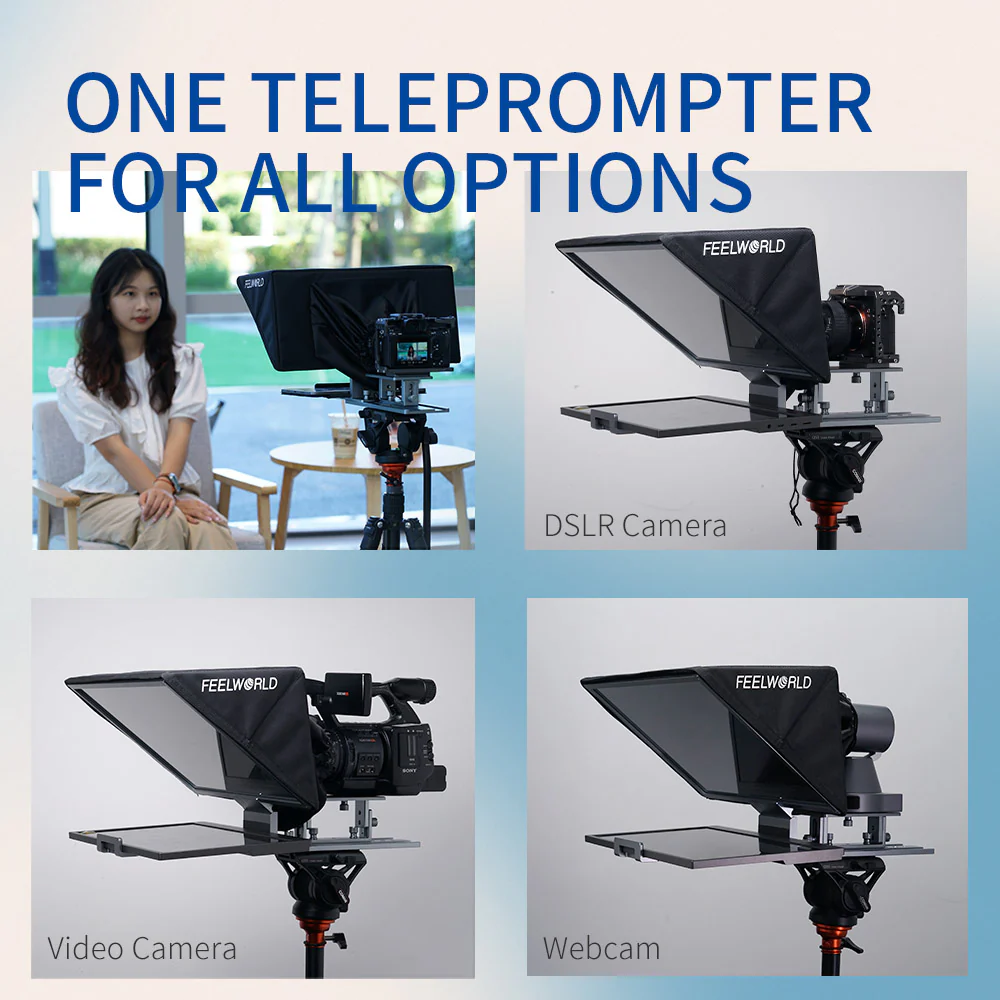
Modern teleprompters are available in compact smartphone designs as well as larger tablet, DSLR, mirrorless and professional studio configurations. This makes the technology accessible to both beginners and experienced production teams.
How Does a Teleprompter Work?
The principle is straightforward: display the script while keeping the camera’s view clear.
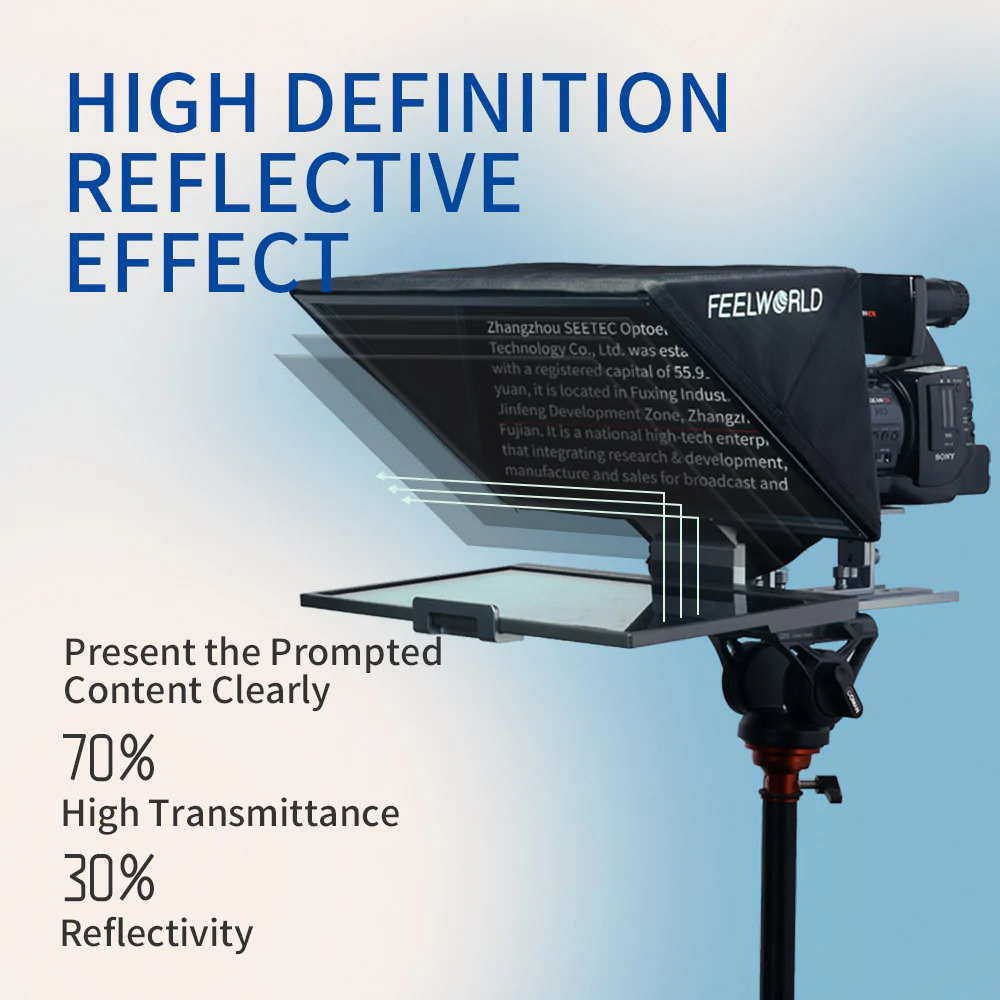
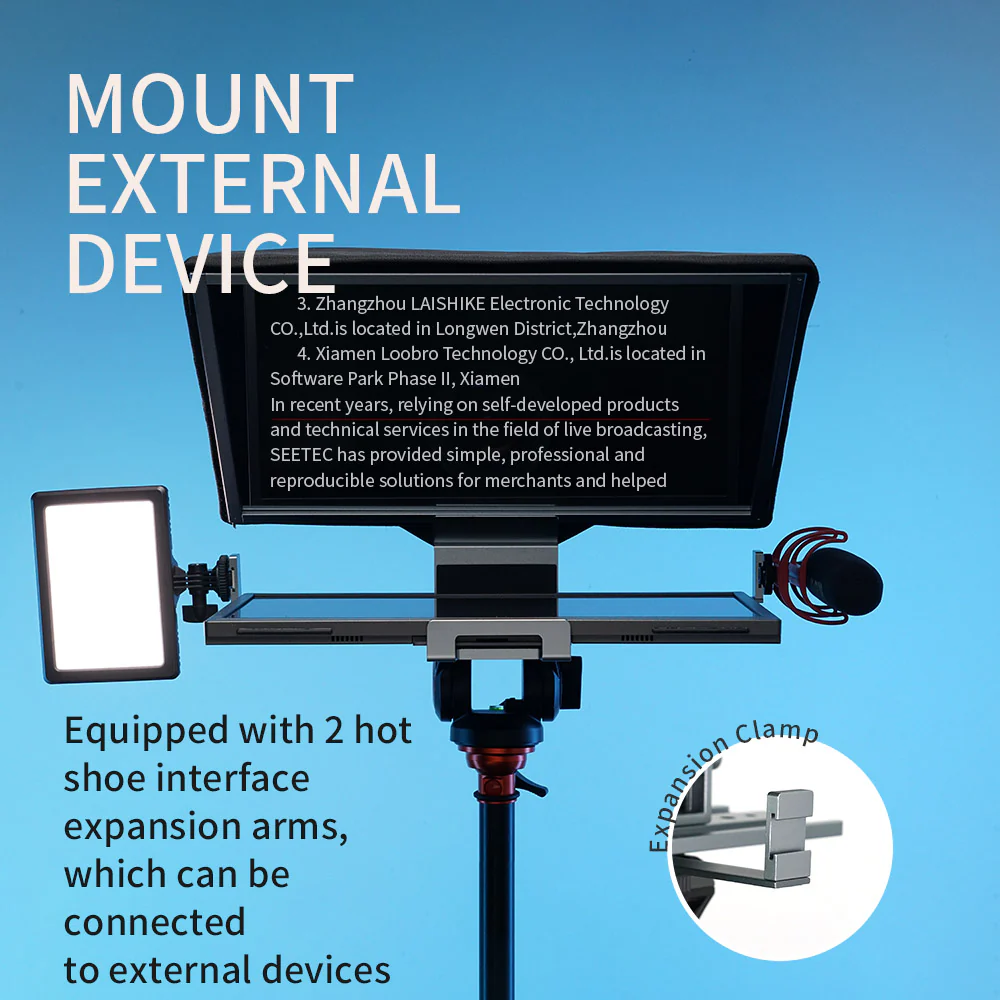
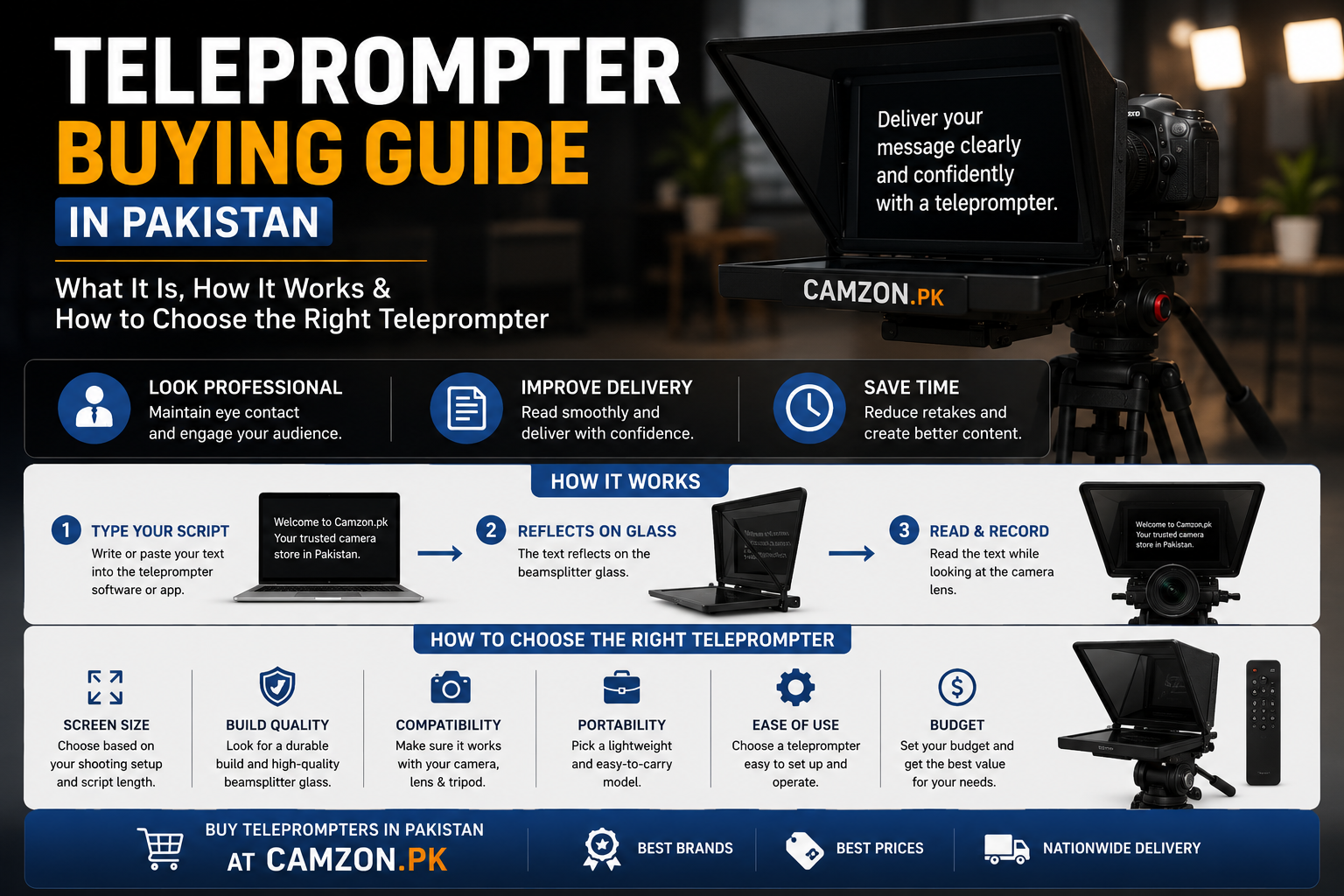
A traditional teleprompter uses a partially reflective beam-splitter glass positioned between the presenter and the camera. A display below or in front of the glass shows the script, usually in mirrored form.
01. Beam-Splitter Glass
A specially designed optical glass panel is positioned at an angle that allows the presenter to see the reflected script while the camera looks through the glass.
02. Script Display
A smartphone, tablet or dedicated display presents the scrolling script beneath the glass. Teleprompter software normally mirrors the text for correct reflection.
03. Optical Reflection
The mirrored text reflects from the beam-splitter glass toward the presenter, placing the script directly in their viewing path.
Because the camera views through the transparent portion of the beam-splitter glass, the script itself is not normally recorded by the camera. The presenter can therefore read naturally while the audience sees a clean image.
The presenter can also control the scrolling speed, text size and spacing to match their speaking pace. With a little practice, the process becomes surprisingly natural.
Why Are Teleprompters Becoming Popular in Pakistan?
Better delivery, fewer retakes and a more efficient content-production workflow.
Video has become an important part of communication in Pakistan. YouTube channels, online courses, coaching programs, podcasts, social media businesses, corporate communication and eCommerce brands all rely increasingly on video to reach their audiences.
As competition increases, simply having good information is no longer enough. Presentation quality, consistency, viewer engagement and the ability to communicate clearly can make a significant difference.
A teleprompter can be particularly valuable for solo creators who handle scripting, filming, editing and publishing themselves. Being able to complete a clean take with fewer interruptions can save both recording time and post-production effort.
For businesses and educators, the benefit can be even greater when the same presenter needs to record multiple lessons, product explanations, training videos or recurring announcements.
Who Should Use a Teleprompter?
Teleprompters are useful for far more than television and broadcast production.
YouTubers & Content Creators
Deliver tutorials, reviews, educational videos and scripted talking-head content while maintaining a consistent connection with the camera.
Online Educators
Follow structured lessons without repeatedly looking away from the camera or losing your place during longer explanations.
Business Professionals
Create webinars, corporate presentations, training videos, announcements and professional communications with greater consistency.
Coaches & Trainers
Record structured courses, workshops and educational programs while keeping important talking points organized.
Professional Services
Real estate professionals, consultants, lawyers, doctors and other service providers can use teleprompters for educational and marketing videos.
Vloggers & Travel Creators
Compact teleprompters can be integrated into portable creator setups when polished scripted segments are needed.
The Biggest Benefits of Using a Teleprompter
Why creators use teleprompters to improve scripted video production.
The most important advantage of a teleprompter is not simply being able to read a script. It is the ability to combine prepared content with natural camera-facing delivery.
Natural Eye Contact
Keep your gaze close to the lens instead of repeatedly looking down at notes or off to the side of the camera.
Faster Production
Reduce retakes caused by forgotten lines, missed points and unnecessary pauses during recording.
Consistent Delivery
Follow the same structure and cover important information in the correct order from one recording to another.
Greater Confidence
Knowing what comes next can reduce the pressure of memorizing lengthy scripts and help presenters focus on delivery.
Smartphone Teleprompters vs Tablet Teleprompters
Choose the display size according to your shooting distance, script length and production style.
Smartphone teleprompters are often the easiest starting point for individual creators. They are compact, lightweight and convenient for home studios, short-form content and relatively close camera positions.
Tablet teleprompters provide a larger reading surface, allowing text to remain easier to follow as the presenter moves farther away from the camera. They can be especially useful for teaching, interviews, webinars, presentations and longer-form scripted content.
The right choice therefore depends less on the word “professional” and more on your camera distance, script length, display size, portability requirements and overall production setup.
| Teleprompter Type | Best For | Main Advantage |
|---|---|---|
| Smartphone | YouTube, Reels, Shorts and compact home studios | Portable, simple and budget-friendly |
| Tablet | Teaching, webinars, interviews and longer tutorials | Larger reading area and greater viewing flexibility |
| DSLR / Mirrorless | Advanced YouTube, studio and professional production | Broader camera and lens compatibility |
Understanding Beam-Splitter Glass Quality
The optical glass is one of the most important components of a teleprompter.
A teleprompter is only as good as the optical path it provides. Beam-splitter glass needs to perform two jobs at the same time: provide a clear reflected image of the script to the presenter while allowing the camera to record through the glass with minimal optical interference.
Clear Script Reflection
Quality optical glass makes the reflected text easier to see, particularly when recording in brighter environments.
Reduced Ghosting
Better optical construction can help minimize distracting reflections, ghost images and unwanted visual artifacts.
Cleaner Camera Image
A well-designed optical system helps preserve image clarity, contrast and overall recording quality.
Lower-quality glass may introduce additional reflections, ghosting, reduced contrast or other optical compromises. This is why glass quality should be considered alongside device compatibility and price when comparing teleprompters.
For everyday YouTube, educational and business production, a well-made compact teleprompter can deliver excellent results. Professional broadcast and commercial environments may justify larger systems with more advanced optical construction and mounting options.
Camera Compatibility & Lens Considerations
Check your camera body, lens, mounting system and display size before buying.
Most modern teleprompters are designed to work with a wide range of cameras, including smartphones, mirrorless cameras, DSLRs and, depending on the model, camcorders and professional cinema cameras.
A teleprompter can work very well with both mirrorless cameras and DSLRs. The important question is whether the specific teleprompter provides sufficient clearance and the correct mounting or adapter system for your camera and lens.
Lens selection is particularly important. Very wide lenses can require careful positioning because the teleprompter hood or frame may become visible at the edges of the image. Lens diameter, focal length, camera-to-glass distance and the design of the teleprompter should therefore be checked before purchase.
If you are still deciding which camera system to use for content creation, explore Camzon’s Best Vlogging Cameras in Pakistan for Beginners guide for practical recommendations.
You can also browse the Mirrorless Cameras in Pakistan category if you are building a dedicated creator or studio setup.
Teleprompter Setup Is Easier Than Most People Expect
Most beginner systems can be assembled and adjusted in just a few minutes.
Teleprompter equipment may look complicated at first, but most compact creator-oriented systems are designed for straightforward setup. Once the camera, glass and display are correctly positioned, the remaining process is mainly about adjusting the script and viewing angle.
Before recording, perform a short test. Check the camera framing, focus, exposure, script readability and scrolling speed. A one-minute test can prevent unnecessary problems during a longer recording.
Script Formatting Matters More Than Teleprompter Size
A well-written script can improve your presentation more than simply upgrading hardware.
One of the most common mistakes beginners make is focusing heavily on teleprompter hardware while overlooking the script itself. A large display cannot compensate for a script that is difficult to read or unnatural to speak.
The best teleprompter scripts are written for the ear as much as they are written for the eye. Short sentences, natural phrasing and sensible pauses make it much easier for the presenter to sound conversational rather than as though they are reading a document.
Lighting Considerations for Teleprompter Videos
Good lighting improves both presenter comfort and the final image.
Lighting is an important part of any video setup, but teleprompter users have an additional consideration: reflections. Strong light sources aimed directly toward the beam-splitter glass can create distracting reflections and make the script harder to read.
Use Soft Light
Soft lighting can create a more flattering image while helping reduce harsh reflections around the teleprompter.
Position Lights Carefully
Avoid placing bright lights directly along the viewing path toward the beam-splitter glass whenever possible.
Plan for Longer Sessions
Comfortable, consistent lighting helps presenters maintain energy and concentration during extended recording sessions.
Many creators combine teleprompters with softboxes or LED video lights to achieve a more controlled studio environment. The goal is not simply to make the subject brighter, but to create balanced illumination that remains comfortable for the presenter and clean for the camera.
Popular Beginner Teleprompter Brands in Pakistan
Explore practical options for home studios, YouTube, education and professional creator workflows.
When choosing a teleprompter, brand reputation, construction quality, optical performance, compatibility and local availability can all be important considerations.
FeelWorld Teleprompters
FeelWorld offers practical teleprompter solutions aimed at creators, educators and video professionals. Their range includes compact systems suitable for common mirrorless and DSLR-based workflows.
Lensgo Teleprompters
Lensgo provides compact and accessible teleprompter options that can suit beginner creators, mobile production setups, vlogging and everyday video work.
Depending on current availability, Camzon’s teleprompter selection may include models from brands such as FeelWorld, Lensgo, Desview and Elgato, covering different smartphone, tablet, mirrorless, DSLR and professional creator workflows.
View Teleprompters at Camzon →Teleprompter Price in Pakistan
Pricing depends on optical glass, supported devices, construction, compatibility and included accessories.
Teleprompter prices in Pakistan can vary significantly between compact smartphone models, tablet systems, DSLR and mirrorless units, and professional studio equipment.
Rather than choosing purely by price, consider how the teleprompter will be used. A creator recording close-up YouTube videos may need a very different system from a presenter working several metres from the camera in a professional studio.
| Category | Typical Use | What Influences Price? |
|---|---|---|
| Smartphone Teleprompter | Reels, Shorts, YouTube and compact creator setups | Glass quality, smartphone support, size and portability |
| Tablet Teleprompter | Teaching, webinars, interviews and tutorials | Glass size, tablet compatibility and construction |
| DSLR / Mirrorless | Advanced YouTube, studio and professional recording | Camera compatibility, lens clearance and mounting system |
| Professional Studio | Commercial, broadcast and advanced production | Optical glass, size, build quality and professional accessories |
Build a Complete Creator Setup
A teleprompter becomes even more useful when it is paired with the right camera, lighting and audio equipment. Explore Camzon’s creator resources and product categories to build a complete video production workflow.
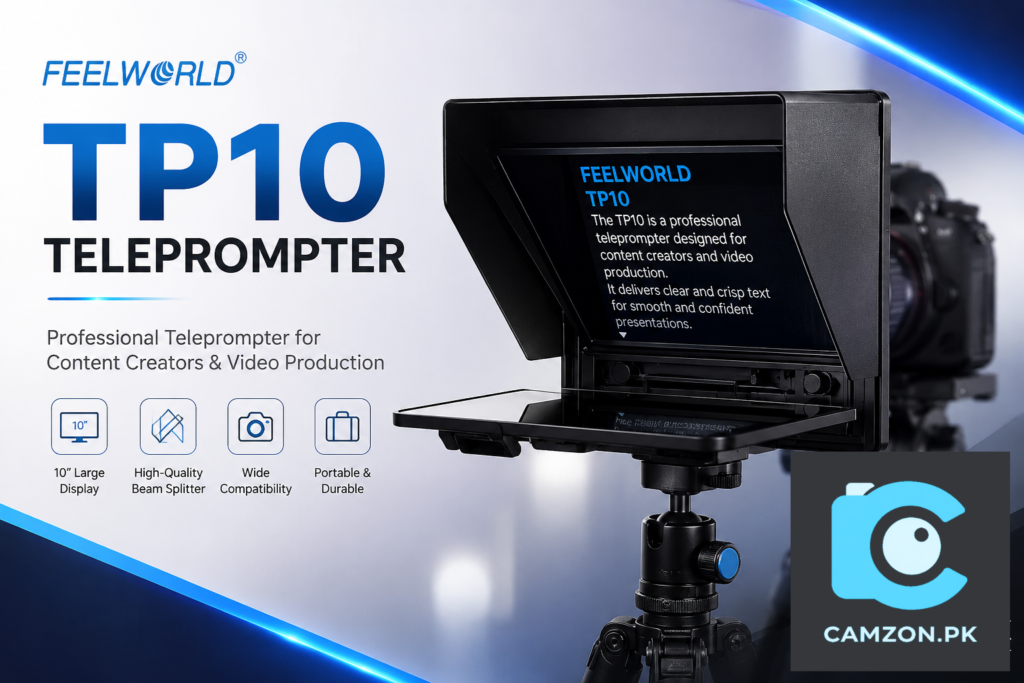
FeelWorld TP10
The FeelWorld TP10 is a compact and portable 10-inch teleprompter designed for creators who want a comfortable reading area without moving to a bulky professional studio prompting system. Its foldable design, smartphone and tablet support, flexible mounting options, and compatibility with DSLR and mirrorless camera setups make it a practical choice for YouTube videos, online classes, interviews, presentations, educational content, and scripted productions.
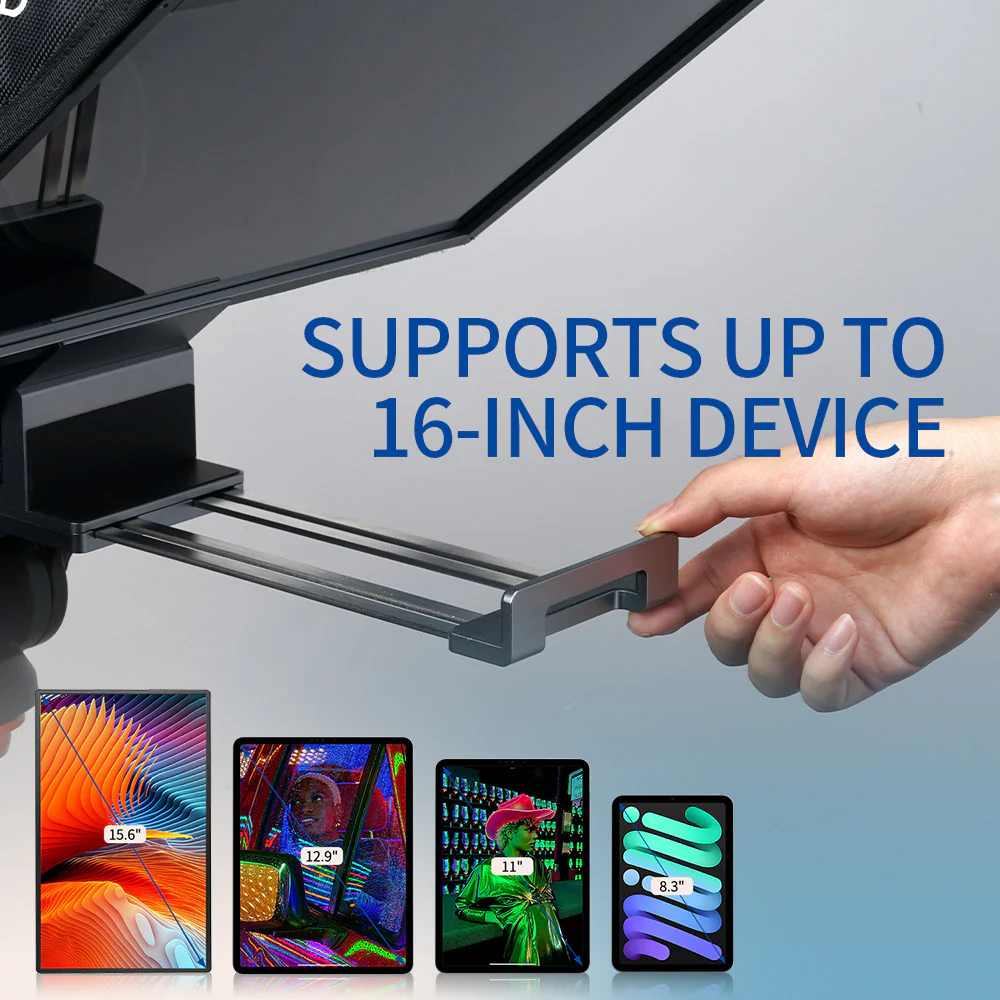
Supports smartphone prompting and tablets up to approximately 11 inches, giving creators greater flexibility when displaying longer scripts or recording extended presentations.
The large beam-splitter glass provides a comfortable reading area while allowing the camera to capture the presenter directly through the glass.
Designed to accommodate lenses wider than 24mm, making the TP10 suitable for talking-head videos, presentations, interviews, tutorials, and other creator-focused camera setups.
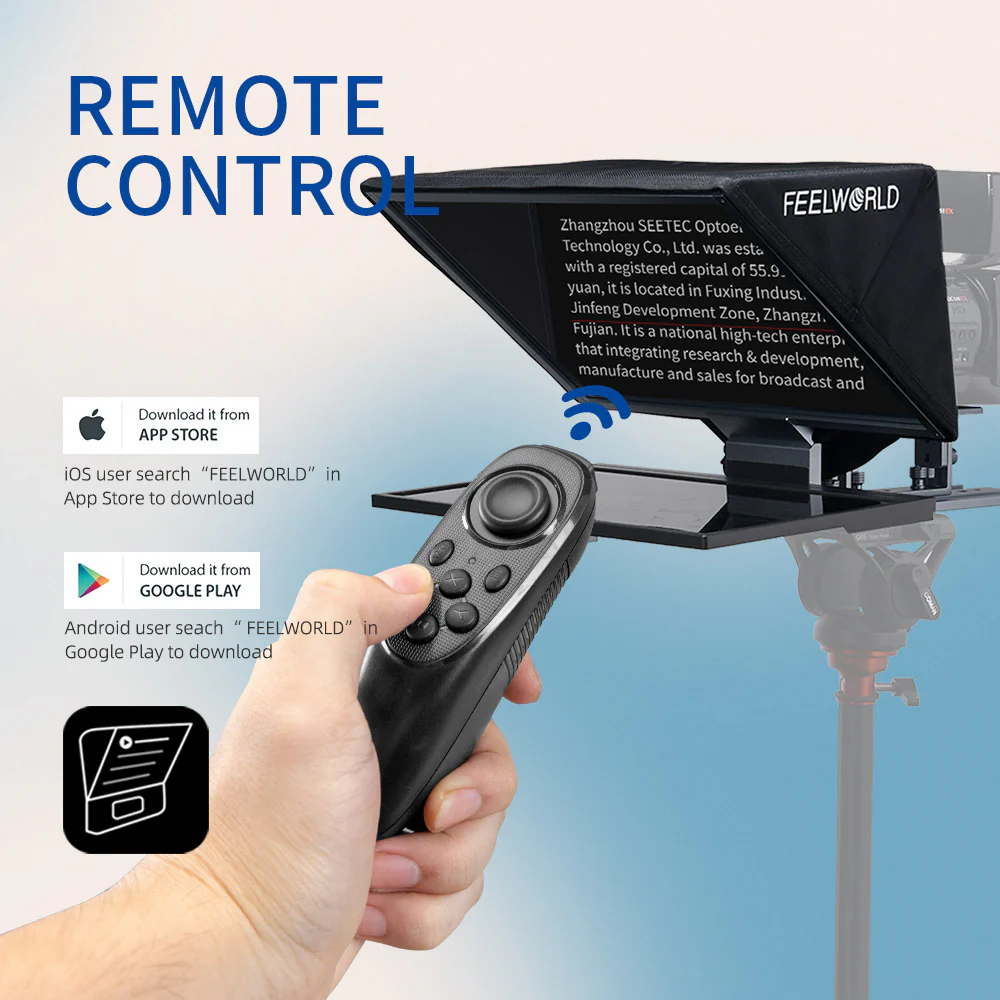
A compatible prompting app and Bluetooth remote allow creators to control scrolling and prompting functions without reaching toward the smartphone or tablet during recording.
Support for both horizontal and vertical shooting makes the TP10 useful for traditional YouTube productions as well as vertical social-media content.
Its folding construction makes storage and transportation easier, while the lightweight body is convenient for creators who frequently move between home studios, classrooms, offices, and shooting locations.
FeelWorld TP10 — Key Specifications
If you are a YouTuber, teacher, trainer, interviewer, presenter, online educator, or home-studio creator who wants a larger script display without carrying a full-size studio teleprompter, the FeelWorld TP10 is a strong option to consider. Its combination of portability, tablet support, flexible lens compatibility, and straightforward operation makes it particularly suitable for longer scripted recordings and professional-looking talking-head content.
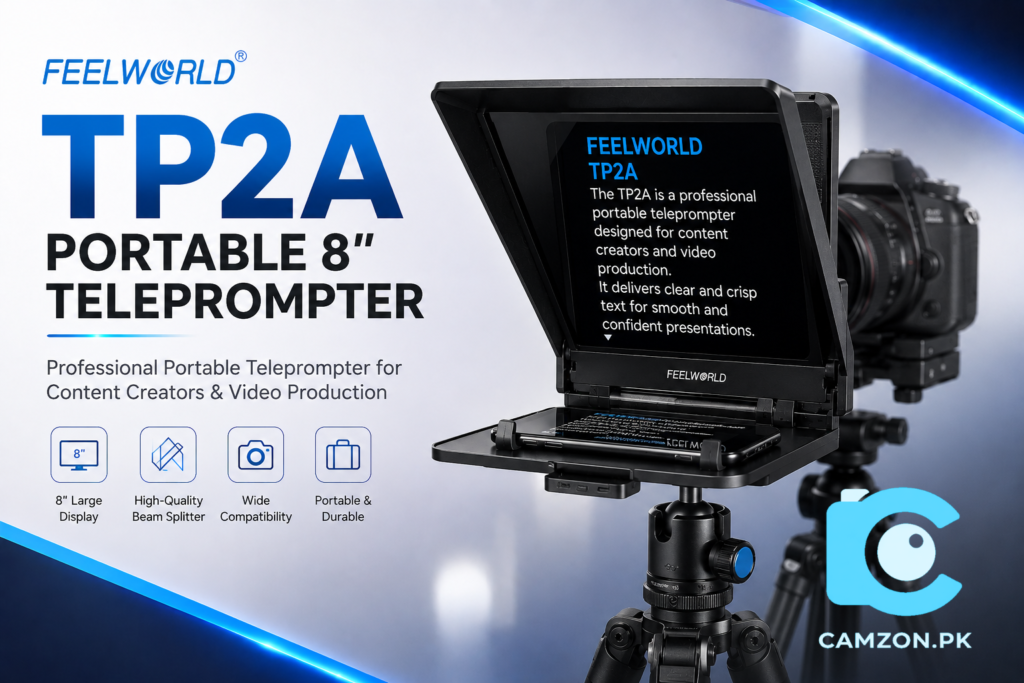
Feelworld TP2A
The Feelworld TP2A is designed for creators who have moved beyond occasional videos and want a more comfortable prompting workflow for regular content production. Its larger reading area and improved compatibility with mirrorless cameras and DSLRs make it well suited to educational videos, tutorials, interviews, online training, and structured YouTube content.
A more comfortable display area helps presenters follow longer scripts without feeling restricted by a small screen.
A practical option for creators working with mirrorless cameras and DSLR setups in home studios or dedicated recording spaces.
Particularly useful for tutorials, lessons, interviews, online courses, and content that requires extended on-camera delivery.
Who Should Choose the Feelworld TP2A?
The TP2A is a sensible upgrade for creators who find smaller smartphone teleprompters limiting. If you regularly produce educational content, tutorials, business videos, or longer scripted presentations, its larger reading area can make your recording workflow noticeably more comfortable.
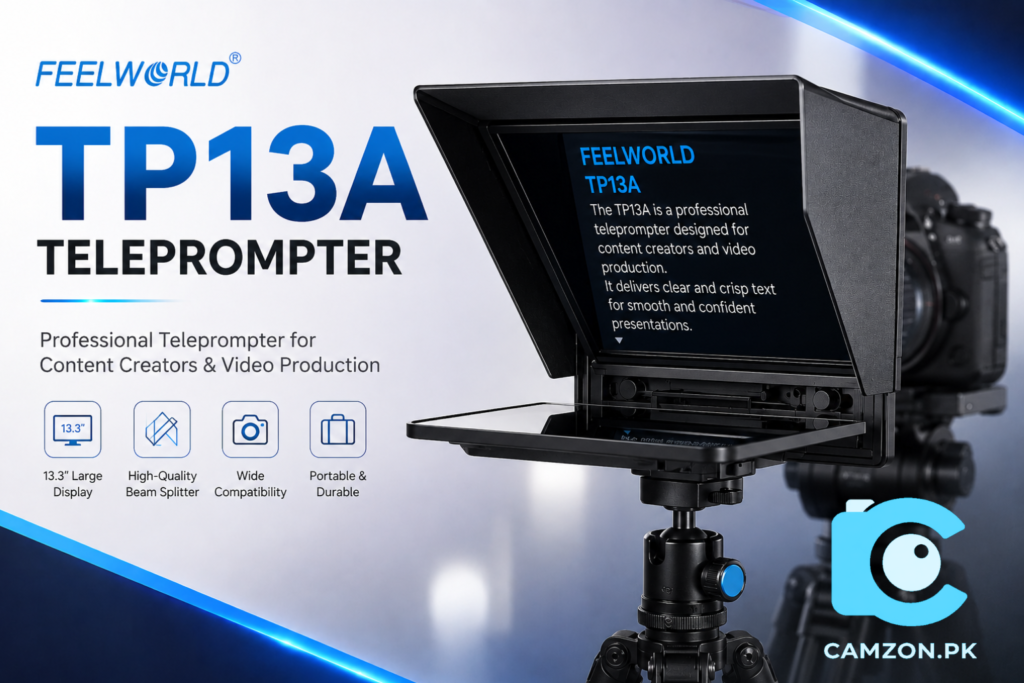
Feelworld TP13
The Feelworld TP13 moves further toward a professional studio-style workflow by providing a noticeably larger reading area and support for larger tablets. It is particularly useful when the presenter is positioned several feet away from the camera and needs to read scripts comfortably during online courses, webinars, corporate videos, educational productions, and studio presentations.
The larger prompting area gives creators more flexibility when working with extended scripts and larger display devices.
A larger glass and display area can make reading more comfortable when the presenter is positioned farther away from the camera.
Particularly well suited to instructors, trainers, educators, and businesses producing longer structured video lessons.
A strong middle ground for creators who want more capability than a compact teleprompter without immediately moving into a large studio rig.
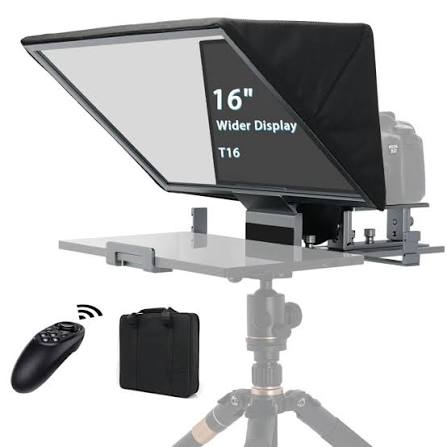
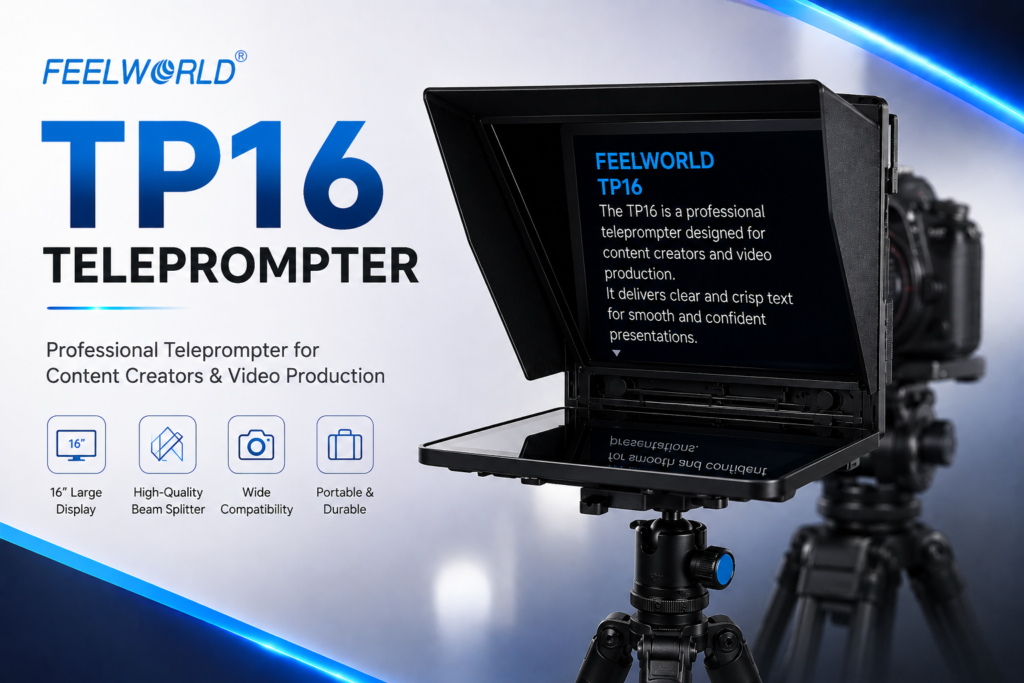
Feelworld TP16
The Feelworld TP16 is aimed at creators and production teams who need a significantly larger prompting system for more demanding recording environments. Its larger beam-splitter glass and support for larger display devices make it suitable for professional studios, online training businesses, webinars, corporate communication, and productions where presenters work at greater distances from the camera.
Designed for setups where a larger display improves script visibility and presenter comfort.
A larger teleprompter format is particularly useful when the camera is positioned farther from the presenter.
A strong fit for permanent studios, training businesses, corporate production spaces, and structured video environments.
Who Should Choose the Feelworld TP16?
The TP16 makes the most sense when portability is no longer the main priority and readability becomes more important. For professional presenters, educators, training organizations, and production teams working with larger studios, it provides a more comfortable prompting experience than compact creator-focused teleprompters.
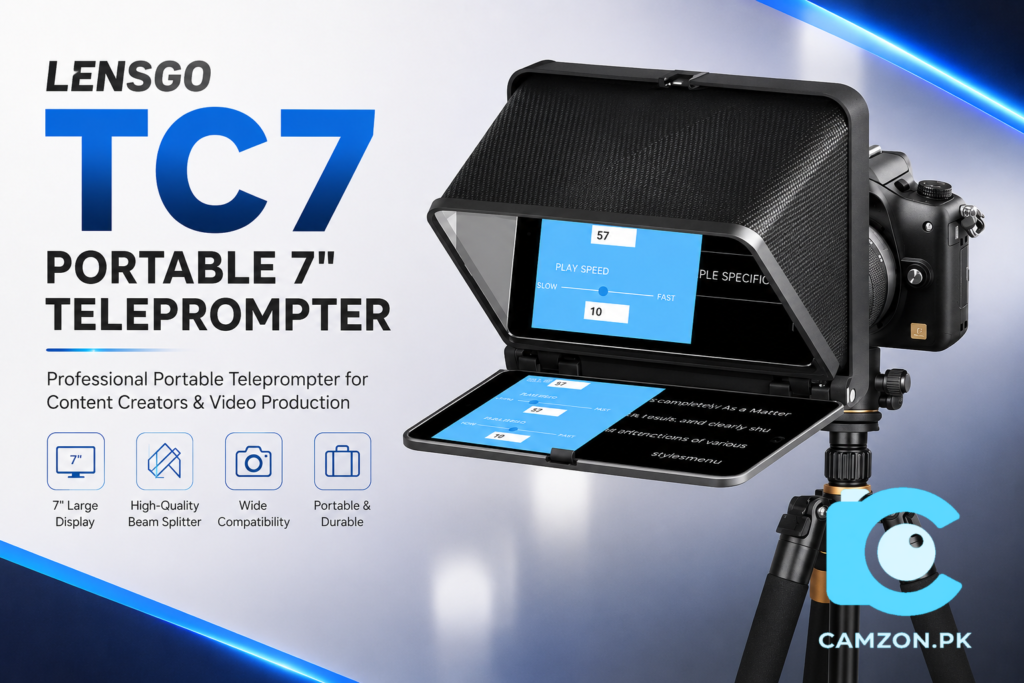
Lensgo TC7
The Lensgo TC7 is one of the most approachable options for creators entering the world of teleprompters for the first time. Its lightweight construction and straightforward setup make it especially appealing to YouTubers, students, teachers, educators, small businesses, and first-time home-studio builders.
A practical choice for creators who want to improve their on-camera delivery without immediately investing in a large studio system.
Easy to integrate into compact home studios or mobile recording setups where portability matters.
Its straightforward design makes the transition from handwritten notes or memorized scripts much easier for new users.
Particularly suitable for beginners experimenting with YouTube, tutorials, educational videos, and regular talking-head content.
Our recommendation: If you are buying your first teleprompter and want a simple, accessible starting point, the Lensgo TC7 is one of the easiest models to consider. It covers the essential purpose of a teleprompter without making your first setup unnecessarily complicated.
View Lensgo TC7 →Lensgo TC7S
The Lensgo TC7S builds on the accessible TC7 concept with improved mounting options and enhanced construction. It is a better fit for creators who have moved beyond occasional videos and now produce online courses, tutorials, educational content, business videos, and regular talking-head productions.
Lensgo TC7 II
The Lensgo TC7 II refines the original TC7 concept with improved compatibility and a smoother overall assembly experience. It is particularly suitable for creators who record several times each week and want a teleprompter that integrates more naturally into a regular content production routine.
Lensgo TC12
The Lensgo TC12 is designed for creators who need a larger prompting area and more comfortable readability at extended camera-to-presenter distances. Its format makes it particularly suitable for interviews, webinars, business presentations, online training, corporate communication, and more demanding studio environments.
A larger display option gives presenters more room for extended scripts and improved readability.
Particularly useful when the presenter cannot stand close to the camera during interviews or studio productions.
A strong option for businesses, educators, trainers, and creators developing a more permanent production environment.
Is the Lensgo TC12 the Right Step Up?
If compact smartphone teleprompters feel restrictive and your productions require longer scripts or greater reading distances, the TC12 offers a more spacious prompting workflow. It is particularly relevant for creators transitioning from a simple home setup toward a more capable studio environment.
Which Teleprompter Should You Choose?
The right teleprompter depends less on choosing the biggest model and more on matching the system to your recording environment. A creator filming short videos at a desk has very different requirements from an educator recording multi-hour courses or a company producing webinars in a dedicated studio.
Instead of simply choosing the most expensive option, consider your typical recording distance, the device you plan to use for displaying scripts, your camera setup, and how frequently you create content.
Best Teleprompter Applications
The teleprompter hardware is only one part of the workflow. The software you use determines how comfortably you can read and control your script. A good teleprompter application should allow you to adjust font size, scrolling speed, line spacing, text mirroring, and remote-control options.
Known for voice-following functionality that can automatically adjust script movement according to the presenter’s speaking pace.
Useful for creators who want straightforward script control, customizable text settings, and flexible prompting tools.
A simple option for users who prefer a clean interface and easy script management.
Useful for creators who want to prepare and display scripts without depending entirely on a dedicated mobile application.
Common Beginner Mistakes
- Choosing a teleprompter that is too small: A compact model may work perfectly at a short distance but become uncomfortable when the presenter moves farther away.
- Ignoring device compatibility: Always confirm whether your smartphone or tablet physically fits the teleprompter before purchasing.
- Using an incompatible wide-angle lens: Check the teleprompter’s lens compatibility and potential vignetting before building your final camera setup.
- Writing scripts like essays: Teleprompter scripts should sound natural when spoken. Short sentences, pauses, and conversational language usually produce better results.
- Reading without practicing: A teleprompter improves delivery, but it does not automatically make a presentation sound natural. Practice remains important.
Frequently Asked Questions
Do teleprompters reduce camera image quality?
Modern beam-splitter glass is designed to allow the camera to record through the glass while reflecting the script toward the presenter. When the teleprompter is properly assembled and the glass is kept clean, the impact on image quality is generally minimal for normal content-production workflows.
Can I use my smartphone as a teleprompter?
Yes. Smartphones are one of the most common prompting displays for beginner and compact teleprompter setups. They are portable, easy to use, and work well for short to medium-distance recordings.
How far away can I stand from a teleprompter?
Reading distance depends on the size of the beam-splitter glass, display size, font size, and the presenter’s eyesight. Larger teleprompters generally provide a more comfortable reading experience when the presenter is positioned farther from the camera.
Is a teleprompter useful for YouTube videos?
Yes. A teleprompter can help YouTubers maintain eye contact, remember important points, reduce unnecessary pauses, and create a more consistent delivery style. It is particularly useful for tutorials, reviews, educational videos, and scripted talking-head content.
Should beginners buy a smartphone or tablet teleprompter?
A compact smartphone teleprompter is usually enough for creators filming close to the camera. If you record longer videos, use extended scripts, or work from a greater distance, a larger tablet-compatible teleprompter can provide a more comfortable experience.
Which teleprompter is best for a beginner?
The Lensgo TC7 is an easy entry point for first-time users, while the Feelworld TP10 offers a stronger balance of portability and a larger reading experience for creators who want more flexibility from the beginning.
Final Thoughts: Is a Teleprompter Worth It?
Teleprompters have moved far beyond traditional television studios. Today, they are practical tools for YouTubers, educators, businesses, trainers, presenters, marketers, and anyone who wants to communicate more confidently on camera.
The biggest advantage is not simply reading a script. A well-used teleprompter helps you maintain eye contact, organize your message, reduce unnecessary retakes, and create a more consistent production workflow. For creators producing content regularly, those improvements can save a significant amount of recording and editing time.
If you are just starting out, a model such as the Lensgo TC7 offers an accessible introduction. The Feelworld TP10 is a strong all-round option, while larger systems such as the TP13, Lensgo TC12, and Feelworld TP16 become increasingly attractive as your production environment and recording distance grow.
A better camera can improve image quality, but clear communication and confident delivery help build trust. For many creators, a teleprompter eventually becomes one of the most useful tools in the entire video production setup.